
 By
Learn how freelancers and small agencies can organize client records, project deadlines, invoices, payments, and deliverables in one simple workflow.
Ever finished a project and then spent 20 minutes searching for the invoice, the latest file, or the client’s last message?
When you manage several freelance clients, the work itself is only part of the job. You also need to remember deadlines, follow up on payments, organize deliverables, and keep every project moving.
The problem often isn’t a lack of effort. It’s having important information scattered across email threads, spreadsheets, folders, and chat messages. A simple freelance client management system can help bring those moving parts into one organized workflow.
Why Freelance Client Management Gets Messy
At first, managing clients from memory and a few spreadsheets can work. But as your workload grows, small gaps start creating bigger problems.
Contact information, project requirements, and follow-up notes live in different places.
You may remember the main deadline but forget a revision, milestone, or client approval.
Without a clear invoice status, it’s harder to see which payments are outstanding.
Final files, draft links, and approved versions can become difficult to locate.
These issues are especially common for freelance designers, developers, writers, consultants, virtual assistants, and small creative agencies handling several projects at once.
What Should a Freelance Client Management System Include?
You don’t necessarily need a complicated platform with dozens of features. Start with the information you regularly need to check while running your business.
| Area | What to organize | Why it matters |
|---|---|---|
| Client CRM | Client details, contact information, and notes | Keeps client records organized |
| Project tracker | Project names, status, deadlines, and progress | Shows what needs attention |
| Invoices and payments | Invoice amounts, due dates, and payment status | Helps you follow up on unpaid work |
| Deliverables vault | File links, final assets, and delivery references | Makes project handovers easier to manage |
The goal is simple: when you open your system, you should be able to work out who you’re serving, what needs to be delivered, and which payments need attention without searching through multiple apps.
How to Organize Your Freelance Workflow Step by Step
Keep one reliable client record
Record each client’s name, business details, contact information, and relevant notes in one place. Use consistent naming so you can connect the client to the correct project and related records.
Track every active project
Give each project a clear name, current status, deadline, and next action. For example, a website project might move through planning, design, development, review, and completion.
A short status such as “Waiting for client feedback” can be more useful than a long note explaining why nothing has moved forward.
Record invoices and payment progress
Keep the invoice date, amount, due date, and payment status together. Review outstanding invoices on a regular schedule and follow up professionally when a payment becomes overdue.
Remember that tracking an invoice is not the same as issuing one or processing a payment. Continue using your normal invoicing and payment service where required.
Organize deliverables before handover
Keep a clear reference to the relevant project files, draft versions, approved assets, and final delivery links. Use consistent file names and confirm that clients can access the files you share.
For sensitive client information, use appropriate access permissions rather than placing private credentials in an ordinary tracking sheet.
Review your workload every week
Set aside a short time each week to check active projects, upcoming deadlines, pending feedback, and unpaid invoices. Decide on the next action for anything that is stalled.
Spreadsheet vs. Separate Freelance Tools
There isn’t one perfect setup for every freelancer. The right choice depends on the number of clients you manage, how you work, and whether you need collaboration or automation.
| Option | Works well when | Potential drawback |
|---|---|---|
| Separate spreadsheets | You have a small workload and few processes | Information can become fragmented |
| Project management app | Your work needs task assignments and team collaboration | Client and payment records may need separate tools |
| CRM or agency platform | You need a more extensive client and sales workflow | Setup, features, or recurring costs may be more than you need |
| Combined spreadsheet system | You prefer familiar tools and want related records organized together | Requires consistent updates and may not provide advanced automation |
For a solo freelancer or a small agency, Excel or Google Sheets can be a practical starting point. You can customize your records and review your workflow without immediately committing to a complex software setup.
Example: Managing Three Clients in One Workflow
Imagine you’re a freelance designer working with three clients. Here’s a simplified example of how a single organized workflow could help you plan the week.
| Client | Current work | Next action | Payment follow-up |
|---|---|---|---|
| Client A | Website design | Send revised mockup | Deposit received |
| Client B | Brand identity | Get logo approval | Invoice due Friday |
| Client C | Social media assets | Deliver final files | Payment pending |
This simple view helps you identify what to do next. Instead of remembering three different conversations, you can review the work and decide which task deserves attention first.
How to Choose a System You’ll Actually Maintain
A system only helps if you keep it updated. Before choosing a template or platform, ask yourself these questions:
- Can I find client details without searching through old messages?
- Can I quickly see which projects are active and what is due next?
- Can I identify unpaid or overdue invoices?
- Can I locate the correct deliverables and handover links?
- Can I update records without spending too much time on administration?
If you’re answering “no” to several of these questions, consider bringing the relevant information into a more structured workflow.
A More Organized Way to Manage Client Work
If you prefer working in Excel or Google Sheets, a combined workbook can help you keep the main parts of your freelance operation organized without juggling several unrelated trackers.
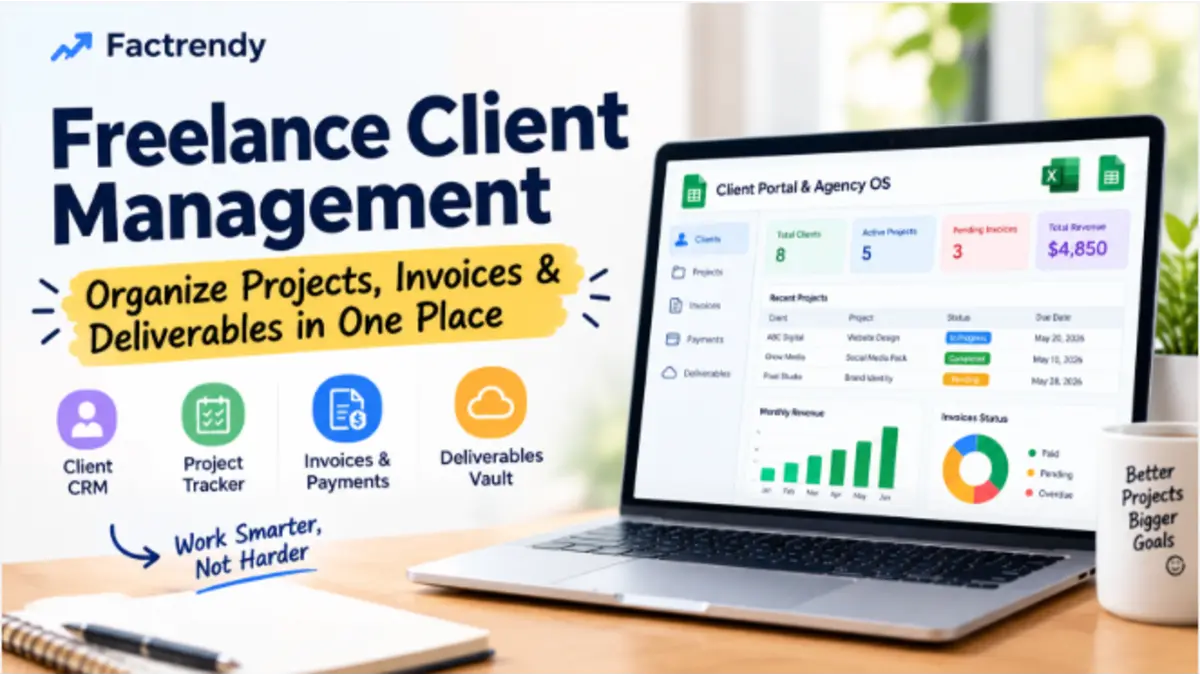
The Freelance Client Portal & Agency OS brings together four key areas: Client CRM, Project Tracker, Invoices & Payments, and Deliverables Vault. It’s an option worth exploring if those are the areas you want to organize in one place.
Explore the Freelance Client Portal & Agency OSCommon Client Management Mistakes to Avoid
- Tracking projects but not next actions: A status is useful, but a clear next step helps you move work forward.
- Leaving invoice records outdated: Update payment status when you confirm a payment.
- Saving files without context: Link deliverables to the correct client and project.
- Using inconsistent names: Standardize client and project names to make records easier to find.
- Building an overly complicated system: Track what you actually use rather than adding unnecessary fields.
Frequently Asked Questions
What is freelance client management?
Freelance client management is the process of organizing client details, communication, projects, deadlines, invoices, and deliverables so you can manage client work consistently.
Can I manage freelance clients in Google Sheets?
Yes. Google Sheets can be used to organize client records, project statuses, deadlines, and invoice information. It works best when the spreadsheet is structured clearly and updated regularly.
What is the difference between a client CRM and a project tracker?
A client CRM organizes information about people and businesses you work with or may work with. A project tracker focuses on the work itself, including status, deadlines, and progress.
Do freelancers need an agency management system?
Not always. A simple spreadsheet may be enough for a freelancer with a few clients. A combined system becomes more useful when client records, projects, payments, and deliverables are becoming difficult to manage separately.
Final Thoughts
Good freelance client management is less about using more tools and more about knowing where your information lives. Keep client records organized, make project deadlines visible, review payment status regularly, and store clear references to deliverables.
Start with a workflow you can maintain. As your workload grows, a structured Excel or Google Sheets system may help you spend less time searching for information and more time delivering good work to your clients.