
 By
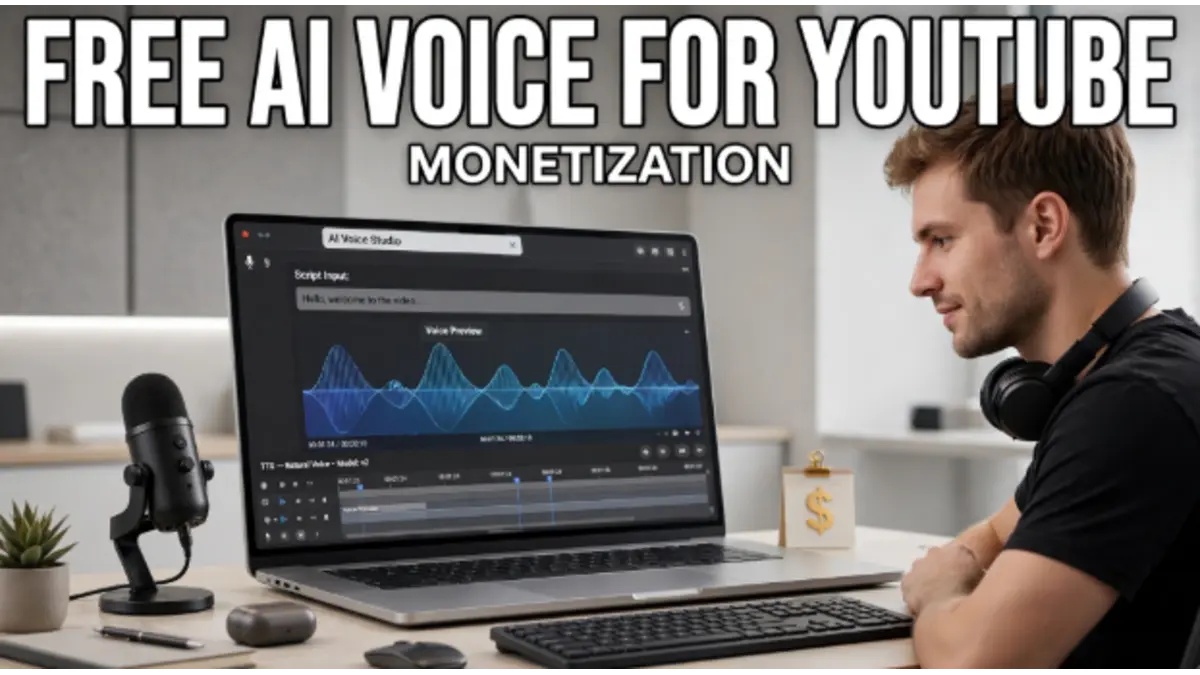
By If you’re looking for free AI text to speech for YouTube monetization, the biggest mistake is choosing a tool just because it lets you generate a voice for free.
What matters is whether you can actually use that generated audio in a YouTube video that earns money.
Some AI voice generators offer free audio for personal projects but restrict commercial use. Others allow commercial use on their free tier. So before choosing a tool, you need to check both the free allowance and the commercial-use license.
Learning Graph
Here are some options worth considering.
What Should You Look for in a Free AI Voice Generator for YouTube?
A useful free text-to-speech tool should ideally give you four things:
- Natural-sounding voices
- Enough free characters or minutes to test your channel
- Downloadable audio
- Commercial-use rights for monetized content
A tool can be completely free to use while still restricting how you use the audio commercially.
YouTube says videos and Shorts need to be original and non-repetitious for monetization, and creators also need the necessary commercial rights for the audio and visual elements they use.
So there are really two separate questions:
Can I generate the voice for free? and Can I legally use that voice in a monetized YouTube video?
Best Free AI Text to Speech Tools for YouTube
1. CapCut
If your main goal is to create YouTube videos without paying for a separate voice generator, CapCut is one of the options worth testing.
Its text-to-speech tool offers AI voices and lets you adjust aspects of the generated speech. CapCut says audio generated through its AI text-to-speech tool can be used for commercial purposes, including YouTube videos and brand promotions, subject to its terms and applicable platform rules.
This makes it particularly useful if you’re already editing your videos inside CapCut.
You can essentially keep the workflow in one place:
Script → AI voice → video editing → captions → export
That can be much easier for beginners than generating audio in one service and then moving everything into another editor.
Best for: Beginners who want voice generation and video editing in one workflow.
2. ElevenLabs
ElevenLabs is one of the better-known AI voice platforms, particularly for creators who care about realistic narration.
Its current free plan provides 10,000 characters per month, which ElevenLabs says is roughly around 10 minutes of audio depending on usage.
But there is an important catch for this particular keyword.
The free ElevenLabs plan is not for commercial use.
ElevenLabs currently says its free plan is intended for personal, non-commercial use, while paid plans provide commercial usage rights.
So if your goal is specifically:
Free AI voice + monetized YouTube videos
ElevenLabs’ free plan should not be treated as a free commercial solution.
It can still be useful for testing voices and learning the workflow before upgrading.
Best for: Testing high-quality AI narration before moving to a commercial plan.
3. FreeTTS
FreeTTS is another option to investigate if you’re specifically looking for a browser-based text-to-speech service.
However, there’s an important licensing detail that makes this tool less suitable for the exact keyword we’re targeting.
Its current terms state that its free tier is for personal, non-commercial use, while commercial use is included with its paid plans. The terms specifically exclude monetized YouTube videos from commercial use on the free tier.
So although the service itself may be free to try, that doesn’t mean the free audio can be used in a monetized YouTube channel.
Best for: Personal projects and testing, unless you use a plan that provides commercial rights.
Free Does Not Always Mean Commercially Free
This is the most important thing to understand before starting a YouTube channel with AI narration.
Imagine a website says:
10,000 characters free every month
That tells you how much audio you can generate.
It doesn’t automatically tell you whether you can use that audio commercially.
There are at least three separate things to check:
Free generation
Can you create the audio without paying?
Free download
Can you download the generated voice without paying?
Commercial rights
Can you use that audio in content that generates revenue?
The third question matters most if you’re building a monetized YouTube channel.
For example, ElevenLabs currently gives free users 10,000 characters per month, but its documentation says commercial usage rights are available with paid plans.
Can YouTube Monetize Videos Made With AI Voices?
Yes, using an AI-generated voice does not automatically prevent a video from being monetized.
But the voice is only one part of the video.
YouTube says monetizable content must be original and non-repetitious, and creators need the necessary commercial rights for audio and visual elements.
That means an original video with:
Your research + your script + AI narration + meaningful editing + relevant visuals
is very different from:
Copied article + AI voice + stock images + same template repeated hundreds of times.
The second approach can create problems under YouTube’s monetization policies.
So don’t think of the AI voice as the thing that makes a channel monetizable.
The entire video matters.
What Is the Best Free AI Text to Speech for a Monetized YouTube Channel?
If your main requirement is:
“I don’t want to pay for the voice and I want to use it in monetized YouTube videos.”
then you should prioritize tools that explicitly grant commercial-use rights on their free tier.
Based on the current terms reviewed for this article:
| Tool | Free TTS | Commercial use on free tier | YouTube use |
|---|---|---|---|
| CapCut | Yes | Yes, according to its TTS page | Yes |
| ElevenLabs | Yes | No | Paid plan needed for commercial use |
| FreeTTS | Yes | No | Paid plan needed for monetized use |
The important part is that “free” and “commercially usable for YouTube” are separate criteria.
Always check the current license before publishing because AI services can change their plans and terms.
How to Use Free AI Text to Speech for YouTube
Once you’ve selected a tool that gives you the rights you need, the workflow is straightforward.
Step 1: Write an original script
Don’t simply copy an article from another website.
Research your topic and write the explanation in your own structure.
Step 2: Generate the narration
Paste the script into your chosen text-to-speech tool.
Choose a voice that fits your content.
For example:
- Documentary → calm, deeper narration
- Technology → clear and conversational
- Education → friendly and slower
- Shorts → energetic and quick
Step 3: Edit the audio
Don’t always use the first generation.
Fix awkward pronunciations, strange pauses and pacing problems where necessary.
Step 4: Add useful visuals
Your visuals should support what the narrator is saying.
Use:
- Screen recordings
- Original graphics
- Demonstrations
- Charts
- Relevant footage
- Licensed stock footage
Step 5: Add captions
Captions can make the video easier to follow, particularly for Shorts and viewers watching without sound.
Step 6: Publish original content consistently
The goal shouldn’t be to generate as many videos as possible.
The goal should be to create videos people actually want to watch.
Can You Use ElevenLabs Free for YouTube?
You can use the free ElevenLabs plan to test its text-to-speech capabilities, but the current free plan is for non-commercial use.
ElevenLabs says paid plans include commercial usage rights, while free users can use the service non-commercially with attribution.
So if your specific goal is a monetized YouTube channel, don’t assume that the free ElevenLabs plan gives you commercial rights. Get more info about ElevenLabs on this guide: How to Make Money with ElevenLabs
That’s an important distinction between:
“Can I generate a voice?”
“Can I monetize a video containing that voice?”
Can You Use CapCut AI Voice for Monetized YouTube Videos?
CapCut currently states that audio generated through its AI text-to-speech tool can be used for commercial purposes, including YouTube videos and brand promotions, subject to its terms and applicable guidelines.
That makes it worth considering if you’re looking for an all-in-one free workflow.
PRO TIP: Check the current CapCut terms for the specific feature and region you’re using before relying on it for a commercial channel.
What Type of YouTube Channels Can Use AI Text to Speech?
AI narration can work for many types of channels.
For example:
Faceless technology channels
Explain AI tools, apps, software and technology news with narration and screen recordings.
Educational channels
Use narration to explain history, science, finance concepts or other educational topics.
Documentary channels
Combine original research, narration and relevant visuals.
Tutorial channels
Record your screen and use AI narration to explain each step.
Storytelling channels
Use an AI narrator for original stories and carefully edited visuals.
The common factor is original value, not whether the creator appears on camera.
What AI Voice YouTube Videos Should You Avoid?
Don’t build a channel around simply reading other people’s content.
YouTube specifically says creators need commercial rights to content they use and that monetizable content should be original and non-repetitious.
Be especially careful with a workflow like:
Copy website → AI voice → stock footage → upload
Doing that repeatedly can make the channel look mass-produced rather than like an original content operation.
A better workflow is:
Research → Original script → AI narration → Original presentation → Editing → Useful visuals
The AI voice becomes a production tool instead of the entire content strategy.
Final Answer
If you want free AI text to speech for YouTube monetization, don’t choose a tool based only on how realistic its voice sounds.
Check these four things first:
1. Is the TTS actually free?
2. How much can I generate?
3. Can I use the generated audio commercially?
4. Does my overall YouTube content meet YouTube’s monetization requirements?
Right now, CapCut explicitly says its AI TTS audio can be used commercially, including in YouTube videos. ElevenLabs offers a free TTS allowance, but its current free plan is non-commercial, so monetized YouTube use requires a plan with commercial rights.
And remember: getting commercial rights for the voice does not automatically make a YouTube channel monetizable. Your videos still need to be original, non-repetitive and compliant with YouTube’s monetization policies.
For someone starting with a $0 budget, the smartest approach is to test a genuinely commercial-use-friendly free option first, create a few original videos, and only pay for a premium voice platform when the channel actually needs better voices or higher usage limits.
Frequently Asked Questions
What is the best free AI text to speech for YouTube monetization?
CapCut is one option worth considering because its current TTS page says generated audio can be used for commercial purposes, including YouTube videos. However, always check the current terms before publishing monetized content.
Can I use free AI voices on monetized YouTube videos?
Yes, but only if the specific AI voice service gives you commercial rights for the free tier. A tool being free does not automatically mean its output can be used commercially.
Does YouTube allow AI-generated voices?
Yes. AI-generated narration is not automatically prohibited. YouTube’s monetization requirements focus on originality, non-repetitious content and having the necessary commercial rights for the content used.
Can I use CapCut AI voice for YouTube monetization?
CapCut currently says its AI text-to-speech audio can be used for commercial purposes such as YouTube videos and brand promotions, subject to its terms and platform rules.
Can I monetize a faceless YouTube channel with AI voice?
Yes. A faceless channel can potentially be monetized when its videos meet YouTube’s monetization requirements. The use of an AI voice alone does not determine whether a channel qualifies.