
 By
By Affiliate disclosure: This article contains an affiliate link. If you purchase through our link and qualify under the affiliate program terms, we may earn a commission at no additional cost to you.
Stop Losing Customer Messages: Is Deskbolic Worth It in 2026?
When a customer sends a message about an order, asks a question on your website, or contacts your business through social media, they expect a quick response. But when messages are scattered across different apps, keeping track of every conversation becomes difficult.
You might miss an important inquiry, forget to follow up with a potential buyer, or spend too much time switching between inboxes instead of helping customers.
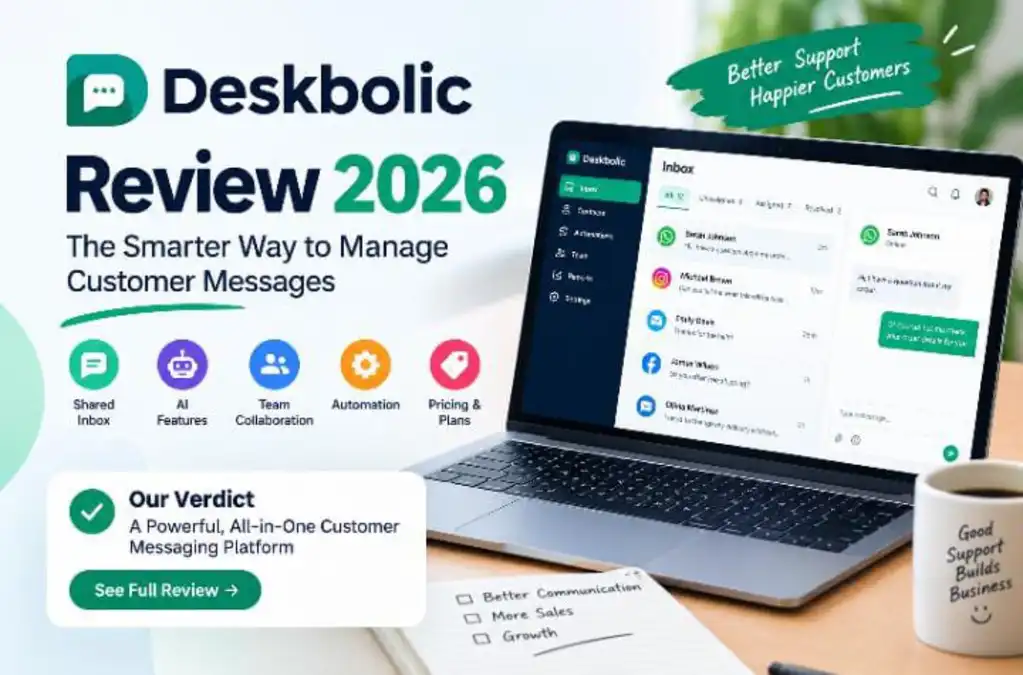
Deskbolic aims to solve this problem by bringing customer conversations into one shared workspace. It combines customer messaging tools with team collaboration, automation, and AI-assisted support features.
But is it actually worth paying for? Who benefits most from it, what should you know about its pricing, and what limitations should you consider before subscribing?
This Deskbolic review looks at its advertised features, pricing structure, potential benefits, and the things you should verify before making a decision.
The Short Answer
Deskbolic is worth considering if your business handles customer conversations across several channels and needs a more organized way to manage them. Its relatively low advertised starting price may appeal to small businesses that want shared inbox features without immediately committing to a more expensive platform.
However, the right choice depends on your messaging channels, team size, AI usage, and required integrations. Check those details before paying.
Explore DeskbolicWhat Is Deskbolic?
Deskbolic is a customer support platform designed to help businesses organize conversations from supported communication channels in a centralized inbox.
Instead of asking employees to manage every customer interaction separately, a shared inbox gives the team a common place to view conversations, coordinate replies, and keep track of requests.
Deskbolic also advertises AI-assisted tools and automation that can help teams handle repetitive support tasks.
This type of software can be useful for ecommerce stores, service businesses, agencies, startups, and other companies that receive customer questions throughout the day.
Deskbolic Features: What Do You Get?
1. A Shared Inbox for Customer Conversations
One of the main reasons to consider Deskbolic is the ability to organize supported customer communication channels in one workspace.
When a business receives inquiries from several places, employees can waste time switching between applications. A centralized inbox can make it easier to see which conversations need attention and coordinate the next response.
This is particularly useful for teams where multiple employees handle customer support.
2. Support for Multiple Messaging Channels
Deskbolic lists integrations for channels such as WhatsApp Business, Instagram, Facebook Pages, email, and website live chat.
For businesses that receive inquiries through social media as well as their website, consolidating supported channels can reduce the need to manage every conversation separately.
Before subscribing, confirm that your specific account types and required messaging features are supported. Some integrations may require additional setup, permissions, or an eligible account.
3. AI-Assisted Customer Support
Writing similar responses repeatedly can consume a surprising amount of time. AI-assisted tools can help support agents summarize conversations, draft replies, and work through routine customer questions.
Deskbolic advertises an AI copilot called Boli, along with AI agent features on eligible plans.
These tools may be useful if your team handles repetitive inquiries. However, AI performance depends on the available information, configuration, and type of question. Important or sensitive customer issues should still receive appropriate human review.
4. Team Collaboration and Conversation Assignment
A shared inbox becomes more useful when employees know who is responsible for each conversation.
Deskbolic advertises collaboration and organization features such as conversation assignment, internal notes, labels, and saved replies.
These tools can help reduce duplicate responses and make it easier to maintain consistent communication across a team.
5. Automation for Repetitive Tasks
Some support tasks follow the same pattern every day. Teams may need to categorize incoming requests, use standard responses, or route conversations to the right person.
Deskbolic offers automation-related features designed to help organize these workflows. The exact capabilities available depend on the plan and configuration.
If automation is a major reason for choosing the platform, review the plan details and test a real workflow before committing.
How Much Does Deskbolic Cost?
Deskbolic’s published pricing has listed paid plans starting at $9 per agent per month, with a lower equivalent starting price of $8 per agent per month on annual billing.
These are advertised starting prices, not a complete quote for every business. Your actual cost may depend on the selected plan, team size, AI credit usage, and any additional services.
Deskbolic also advertises a 14-day trial for eligible paid plans. Confirm the current trial terms and billing conditions on the official website before signing up.
What should you check before paying?
- How many agents are included in your chosen plan?
- Which messaging integrations are available?
- How many AI credits are included each month?
- What do additional AI credits or usage-based features cost?
- Are the features you need included in the advertised plan?
- What are the cancellation, renewal, and refund conditions?
Want to See Deskbolic’s Current Plans?
Review the official features and pricing to see whether the platform fits your business before making a purchase.
Check Deskbolic PricingThe link above is an affiliate link. A qualifying purchase may earn us a commission at no extra cost to you.
Who Should Use Deskbolic?
Small Businesses
If you receive customer questions through multiple channels, a shared inbox may help you stay organized without building a complicated support process.
Ecommerce Stores
Online stores often receive questions about product availability, shipping, returns, and orders. Centralizing supported customer conversations can make those inquiries easier to manage.
Agencies and Service Providers
Businesses that communicate with several customers or clients may benefit from conversation assignment, saved replies, and shared access to support messages.
Growing Support Teams
When more employees begin answering customer questions, a centralized workspace can help everyone understand which conversations are active and who is responsible for responding.
Who Might Not Need Deskbolic?
Deskbolic is not automatically the right purchase for every business.
- Businesses with very few messages: A regular email inbox or existing free tool may be sufficient.
- Teams that need a specific integration: Verify that the required channel or business system is supported before subscribing.
- Businesses expecting unlimited AI: Check credit allowances, usage limits, and extra charges carefully.
- Companies with strict compliance requirements: Review security documentation, data handling, retention, and applicable compliance requirements before using the platform for customer data.
Being clear about these limitations helps you determine whether the product solves a real problem in your business.
Deskbolic Pros and Cons
Potential Advantages
- Centralized handling of supported messaging channels.
- Collaboration tools for teams managing customer conversations.
- AI-assisted replies and support features on eligible plans.
- Automation tools for repetitive workflows.
- A relatively low advertised starting price for businesses that need a shared inbox.
Things to Consider
- Some AI features and additional usage may cost extra.
- Integrations and capabilities can vary by plan.
- Businesses should verify the available documentation, support options, and data policies before committing.
- A business with only a few customer messages may not need dedicated support software.
Is Deskbolic Worth It?
Deskbolic is worth considering if managing customer messages across several channels has become a regular challenge for your business.
Its shared inbox, collaboration features, automation, and AI-assisted tools address practical customer support needs. The advertised entry-level pricing may also make it worth evaluating for smaller teams.
Still, the best decision depends on the features you will actually use. A lower starting price is useful only if the selected plan supports your workflow without unexpected costs.
Our Verdict
Consider Deskbolic if you want to organize customer conversations, coordinate your team, and explore AI-assisted support from one workspace. Review its current pricing, check your required integrations, and confirm any AI usage charges before subscribing.
Ready to Organize Your Customer Messages?
Take a closer look at Deskbolic’s current plans and decide whether its shared inbox and support features fit your business needs.
Visit DeskbolicAffiliate link: we may earn a commission from qualifying purchases, at no additional cost to you.
Frequently Asked Questions
What is Deskbolic used for?
Deskbolic is designed to help businesses manage customer conversations through a shared inbox, with collaboration, automation, and AI-assisted support features.
Does Deskbolic support WhatsApp and Instagram?
Deskbolic lists WhatsApp Business and Instagram among its supported integrations. Check the current documentation for account requirements, setup steps, and plan availability.
Does Deskbolic offer a free trial?
Deskbolic has advertised a 14-day trial for eligible paid plans. Verify current eligibility and whether payment details are required before starting.
Is Deskbolic suitable for a small business?
It may be suitable if your business receives enough customer inquiries to benefit from a shared inbox and team collaboration. If you receive very few messages, a simpler solution may be sufficient.
Does Deskbolic include AI features?
Deskbolic advertises an AI copilot and AI agent features on eligible plans. Check the current plan details for included credits, usage limits, and additional charges.
How do I get started with Deskbolic?
Visit the official Deskbolic website through the link in this review, inspect the current plans, and confirm that the required channels and features are included before subscribing.
Editorial note: Product features, prices, and plan terms can change. Confirm current details on the official Deskbolic website. This article does not claim independent testing or guarantee specific business results.