

 By
By Canva AI has changed the way beginners create digital products. You no longer need to spend hours designing every page from scratch. With the right niche, a simple Canva template can be turned into a digital product and sold repeatedly on Etsy.
Table of Contents
But there is an important difference between making a Canva design and building an Etsy product people actually want to buy.
In this guide, I’ll show you how the Canva AI + Etsy model works in the USA, what types of templates you can sell, how to create them, how to price them, and how a realistic $500/month sales target can be calculated.
The $500 figure is not a guaranteed income claim. Think of it as a practical revenue target that depends on your product, pricing, Etsy search visibility and the number of sales you generate.
Can You Really Make Money With Canva AI?
Yes, but Canva itself does not make money for you.
The business model is simple:
Find a problem → create a useful template → list it on Etsy → get buyers → deliver the digital product automatically.
Canva AI makes the design part faster. Canva’s current AI tools can help generate design concepts, layouts, images and other creative elements, while Magic Design can recommend layouts based on the content and style you provide.
For example, instead of creating a social media planner page by page, you can start with a prompt describing the type of planner you want, generate a starting design and then manually improve the layout, typography, colors and content.
That last part matters.
PRO TIP
Don’t simply generate something with AI and upload it to Etsy. The product needs to provide genuine value and meet Etsy’s requirements for seller-designed digital products.
How the Canva AI to Etsy Business Model Works
Canva is only one part of a larger AI-powered money-making ecosystem. If you want to explore other free AI websites that can be used to build online income streams, see our guide to the best free AI websites to make money online.
Imagine you create a 30-page social media content planner for small businesses.
You design the product in Canva, create attractive listing images, upload the digital product to Etsy and write a useful product description.
A customer discovers your listing through Etsy search and purchases it.
Because it is a digital product, you don’t need to package a physical item or ship anything.
The same product can potentially be sold many times.
For example:
$10 product × 50 sales = $500 gross revenue
Or:
$20 product × 25 sales = $500 gross revenue
That’s why digital templates can be interesting for beginners. You create the product once and can sell additional copies without manufacturing another physical item.
However, $500 in sales is not the same as $500 profit. Etsy charges listing, transaction and payment-processing fees, and other costs can apply. Etsy currently lists a $0.20 USD listing fee and a 6.5% transaction fee, while payment-processing fees vary by country.
What Canva Templates Sell Well on Etsy?
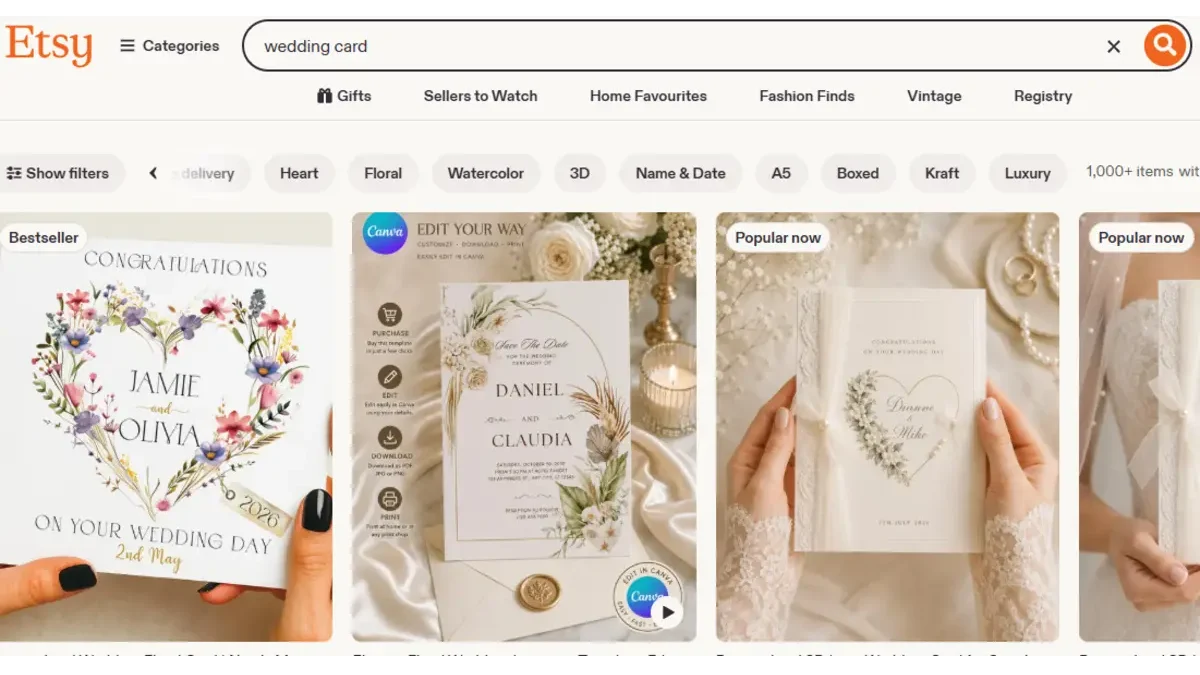
Don’t start by creating random templates.
Start with a specific customer.
A wedding photographer needs different templates from a real estate agent. A fitness coach needs different designs from a restaurant owner.
Some Canva template categories worth researching include:
Social Media Templates
These can include Instagram posts, Stories, carousel designs, promotional graphics and content calendars.
Instead of making a generic “Instagram Template,” create something more specific.
For example:
30 Instagram Templates for Real Estate Agents
is much more targeted than:
Instagram Templates
The buyer immediately understands what the product is for.
Business Templates
Small businesses constantly need professional-looking documents.
You could create:
business proposal templates, price lists, invoices, media kits, client onboarding documents, service menus and presentation templates.
The key is solving a specific business problem rather than simply making something attractive.
Resume and Career Templates
Job seekers are another potential audience.
You could create resume templates, cover letter templates, portfolio layouts and job-search planners.
The design should remain easy to edit because customers are purchasing the ability to customize the product.
Wedding Templates
Wedding invitations, menus, welcome signs, seating charts and wedding planners are popular examples of editable digital products.
A niche approach can work better than trying to make a template for everyone.
Instead of one generic invitation, you could create a coordinated wedding stationery collection with several matching designs.
Planner and Organization Templates
Planners, habit trackers, budget worksheets, meal planners and business planners can all be turned into digital products.
The important question is not:
“Can I make this in Canva?”
Almost anything can be designed in Canva.
The better question is:
“Why would someone pay for this instead of making it themselves?”
Your product needs to save the buyer time, effort or design work.
How to Use Canva AI to Create an Etsy Template
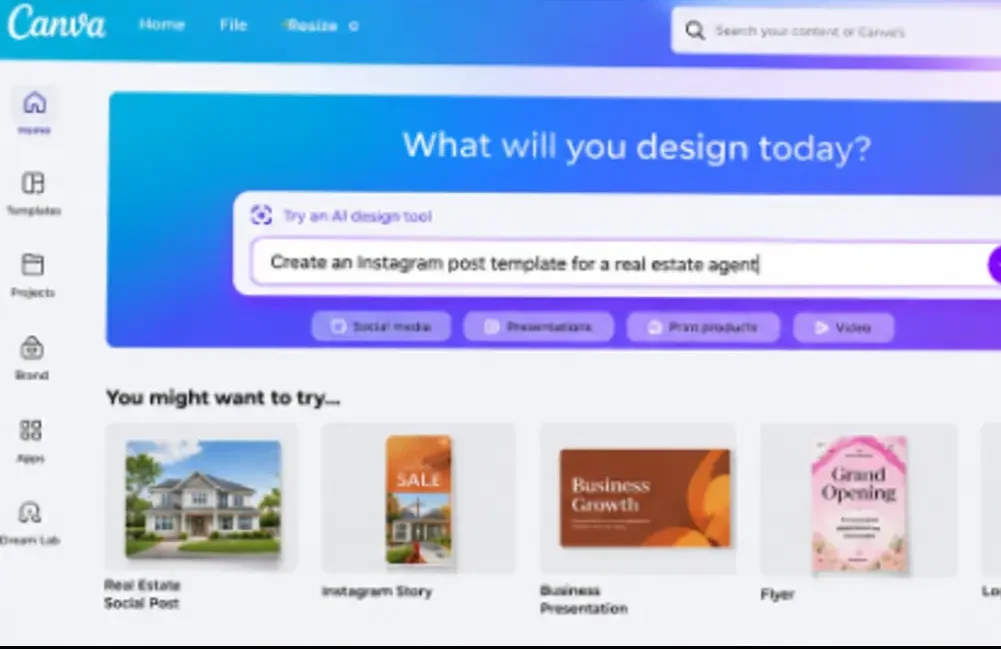
This is where Canva AI becomes useful.
Start by choosing a specific buyer.
Let’s say you choose:
US real estate agents
Instead of telling Canva AI:
“Make me a real estate template.”
Give it a much more detailed brief.
For example:
Create a clean, professional Instagram carousel template for US real estate agents. Use a modern property-marketing style with space for a property photo, headline, price, location and call-to-action. Keep every text element easy to edit.
Canva’s current AI workflow allows users to describe what they want and generate design drafts, then customize the result inside Canva.
Now don’t stop there.
Change the typography.
Improve spacing.
Replace weak graphics.
Add useful pages.
Create multiple variations.
Make sure the template actually works when another person edits it.
AI should accelerate your design process, not replace your judgment.
Create a Template Bundle Instead of Selling One Page
This is one of the easiest ways to increase perceived value.
Suppose you create a real estate Instagram template.
You could sell one template for $3.
But you could instead create a complete package containing:
20 Instagram posts
10 Instagram Stories
5 property promotion designs
5 open-house graphics
5 buyer/seller announcement templates
That becomes a much stronger product.
You could potentially price a useful bundle higher because the customer is buying a complete solution rather than a single design.
For example, if you sell a bundle at $15, you need around 34 sales to reach $510 in gross revenue.
Again, that’s revenue before Etsy fees, taxes and other expenses.
How to Reach $500 a Month on Etsy
The biggest mistake beginners make is thinking they need one viral product.
You don’t.
A better approach is to build a small product catalog.
Imagine you have:
20 products × 2 sales/month × $10 average price = $400/month
Add a few additional sales and you can move toward the $500 target.
Another example:
10 products × 5 sales/month × $10 = $500/month
These are examples, not promises.
The real challenge is getting those sales.
That means your Etsy listing needs to compete on three things:
Search relevance
Click-through appeal
Conversion
A beautiful product that nobody finds won’t make money.
A product that gets clicks but doesn’t convince people to buy won’t make money either.
Canva Template Niche Ideas
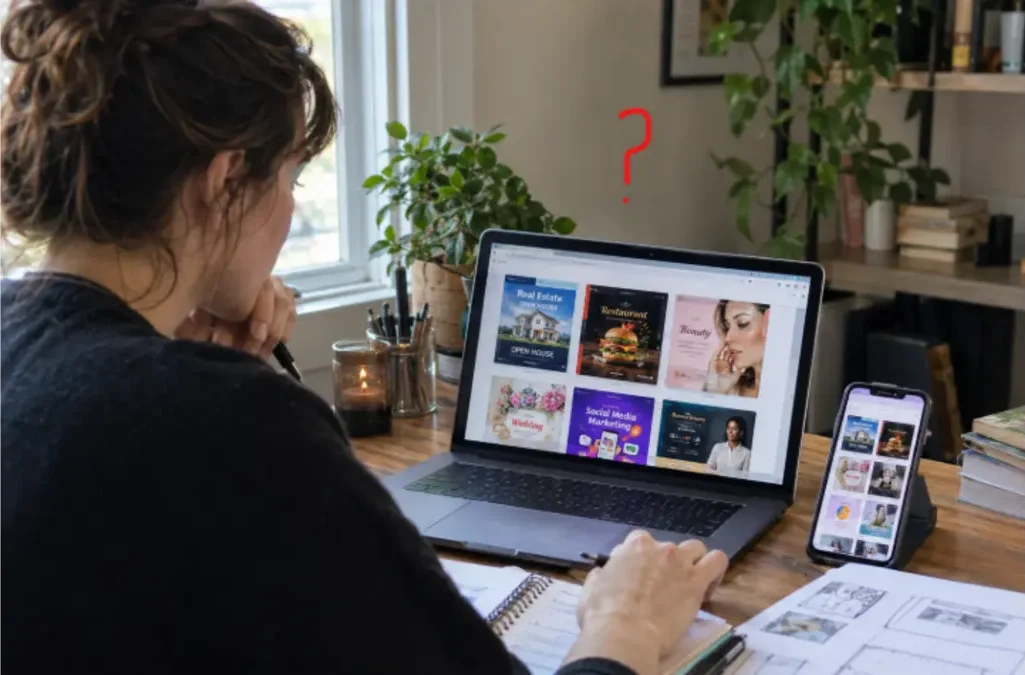
Don’t choose a niche simply because you personally like it.
Look for a combination of:
Buyer demand + specific problem + manageable competition + ability to create multiple related products.
For example, instead of targeting “business owners,” go narrower.
You could research:
real estate agents, wedding photographers, beauty salons, fitness coaches, restaurants, coaches, therapists, teachers, content creators or small online businesses.
Then look at Etsy search results and ask:
What products are already selling?
What styles appear repeatedly?
What prices are common?
What do buyers complain about in reviews?
What useful feature is missing?
That last question can give you product ideas.
How to Make Your Etsy Listing Stand Out
Your Etsy thumbnail is extremely important because it is often the first thing a potential buyer sees.
Don’t make the listing image simply show one Canva page.
Show the buyer what they’re getting.
For example, if you are selling a 30-page social media bundle, your main image could visually communicate:
30 Editable Canva Templates
Then show several pages from the bundle in additional listing images.
Your title and description should also explain the product naturally.
Instead of:
Cute Instagram Templates
try something more specific such as:
Real Estate Instagram Templates | Editable Canva Social Media Kit for Realtors
The exact wording should be based on the keyword research you perform before publishing.
Important: Canva Licensing and Etsy Rules
This is the part many Canva sellers ignore.
You cannot simply take Canva’s stock elements and resell them as if they were your own standalone digital assets.
According to the Canva license agreement, products you sell should be original designs, meaning you have added genuine creative work rather than minimally changing an existing Canva element.
Templates containing Canva Pro content have additional restrictions. Canva states that Pro content can be used in templates when the template is sold as a Canva template link; Pro content cannot simply be distributed as a standalone downloadable file.
This is especially important for Etsy sellers.
If your product contains Pro content, make sure your delivery method and template structure comply with Canva’s current licensing terms.
Also avoid taking a Canva illustration, putting it on a blank background and selling it as clipart. Canva specifically restricts this type of standalone redistribution.
Etsy also requires digital items to be made and/or designed by the seller, and Etsy says seller-prompted AI creations must disclose the use of AI.If you have a question: Is it legal to sell Canva templates on Etsy
So the safer approach is:
Use Canva AI to help create the design → add your own creative work → build a genuinely useful original product → disclose AI use where Etsy requires it → follow Canva’s licensing rules.
Do You Need Canva Pro?
Not necessarily.
You can start with Canva’s free features, but paid Canva plans can provide access to additional AI capabilities and Pro content.
As of 2026, Canva AI 2.0 features are available on paid plans such as Canva Pro, Teams and Business, while Free users have access to Canva AI 1.0 features and some AI tools with usage limitations.
If you’re testing your first Etsy product, don’t spend heavily before you know whether your niche and product have demand. If you face a problem according to the watermark, read this guide: Why Canva showing watermarks
Start small.
Create a few products.
Study the results.
Then decide whether upgrading makes sense.
A Simple 30-Day Canva Etsy Plan
During the first week, choose one specific customer group and research Etsy listings in that niche.
During the second week, create your first small collection of products. Don’t try to build 100 templates immediately. Focus on quality and usefulness.
In the third week, publish the products with clear listing images, relevant titles and descriptions.
During the fourth week, study which listings receive views, favorites and sales. Improve the products that get attention and create related products around the strongest idea.
This gives you actual data instead of guessing what customers want.
Can Canva AI Help You Make $500 a Month?
It can help you produce products faster, but Canva AI isn’t the business model.
The business model is finding something people want and packaging it into a useful digital product.
A realistic $500/month target might look like:
$10 average product × 50 monthly sales = $500 gross revenue
or
$15 average product × 34 monthly sales = $510 gross revenue
or
$20 average product × 25 monthly sales = $500 gross revenue
After Etsy fees and other expenses, your take-home amount will be lower.
That is why pricing, product quality, search visibility and conversion rate all matter.
Frequently Asked Questions
Is Canva AI good for making Etsy products?
Yes. Canva AI can speed up brainstorming and initial design creation, while you can manually customize the resulting design. Canva’s current Magic Design tools can generate design starting points from prompts and supplied content.
Can I sell Canva templates on Etsy?
Yes, Canva allows original designs to be sold as templates under specific licensing conditions. If Pro content is included, Canva says the template should be sold as a Canva template link rather than as a downloadable file containing that Pro content.
How many Etsy sales do I need to make $500?
It depends on your price. At $10, you need 50 sales for $500 in gross revenue. At $20, you need 25 sales. These figures are before Etsy fees, taxes and other costs.
Is Canva Free enough to start?
It can be enough to test the business idea, although Canva’s paid plans provide additional AI capabilities and Pro content.
How to make money with Canva AI
Find a problem → create a useful template → list it on Etsy → get buyers → deliver the digital product automatically.
Ending
Making money with Canva AI in the USA isn’t about pressing an AI button and waiting for Etsy sales to roll in.
The opportunity is in using AI to solve a specific design problem faster.
Pick one audience. Find a product they actually need. Use Canva AI to speed up the creative process, then improve the design yourself. Build a small collection instead of relying on one product. Create strong Etsy listings and keep improving them based on real customer behavior.
If you eventually reach an average of $10 per sale, 50 monthly sales would put you at $500+ in gross revenue. At $20 per sale, you would need only 25.
The goal isn’t to make 500 random Canva templates, and make sure that if you get any kind of problem regarding the embed link, read our guide on Canva embed link not working fix
The goal is to make a small number of useful templates that a specific buyer is willing to pay for.