

 By
By Why a Traditional Mouse Can Be Tough on Your Wrist
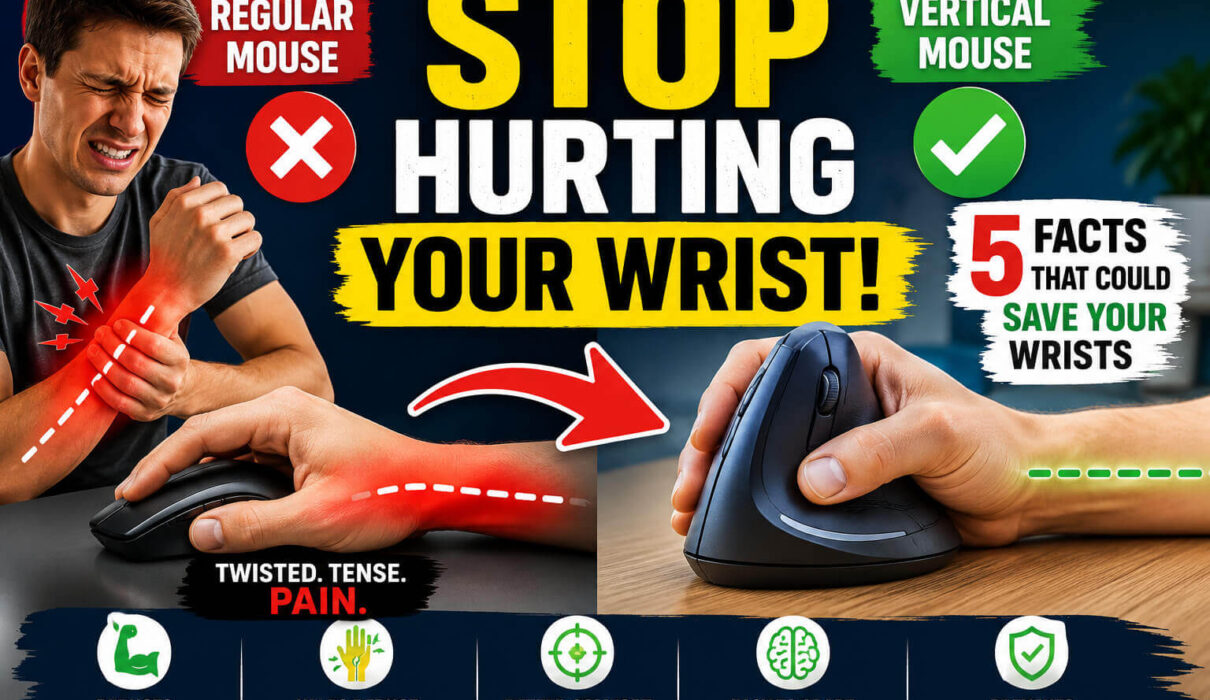
Most standard mice force your hand into a palm-down position. It feels normal because we’ve used it for years, but it’s actually not the most natural posture for your arm.
Think about how your hand hangs when you’re standing relaxed. Your thumb naturally points upward, not downward. A regular mouse twists your forearm into a position that can create tension over time. For many people, that tension leads to wrist fatigue, soreness, and repetitive strain issues.
A vertical mouse is designed to keep your hand in a more natural handshake position. That small change can make a surprisingly big difference.
Fact #1: A Vertical Mouse Reduces Forearm Twisting
This was the first thing I noticed after switching.
With a standard mouse, your forearm stays rotated throughout the day. A vertical mouse minimizes that rotation and allows your arm to rest in a more neutral position.
Less twisting means less stress on muscles, tendons, and joints. If you’re spending six to ten hours at a computer, reducing that strain adds up quickly.
Many users report that their wrist feels less tense after long work sessions because their arm isn’t fighting against an unnatural angle all day.
Fact #2: It Can Help Reduce Wrist Pain During Long Work Sessions
Let’s be realistic. A vertical mouse isn’t a medical treatment and won’t instantly eliminate pain.
What it can do is reduce one of the common causes of discomfort: poor hand positioning.
When I first started using one, I noticed I wasn’t constantly stretching my wrist between tasks. The soreness that usually appeared late in the afternoon became much less noticeable.
For programmers, designers, students, office workers, and gamers who spend hours clicking and scrolling, this is one of the most valuable vertical mouse benefits.
Fact #3: Better Ergonomics Often Leads to Better Productivity
Pain is distracting.
When your wrist aches, you naturally shift positions, shake your hand, or take unnecessary breaks. Those interruptions may seem small, but they can seriously affect focus.
A comfortable mouse allows you to stay engaged with your work longer without constantly thinking about physical discomfort.
After adapting to a vertical mouse, I found myself concentrating more on tasks and less on adjusting my hand position every few minutes.
That improvement alone made the switch worthwhile.
Fact #4: The Learning Curve Is Shorter Than Most People Expect
One of the biggest myths about vertical mouse is that they’re difficult to use.
I’ll admit that my first day felt strange. The cursor movement wasn’t as precise as I expected, and my hand kept wanting to return to the old position.
By the third day, things felt much more natural.
Most users adapt within a few days to a couple of weeks. Once your muscles learn the new movement pattern, using a vertical mouse feels surprisingly intuitive.
If you’re considering a New Vertical mouse, don’t judge it after ten minutes. Give yourself at least a week before deciding whether it’s right for you.
Fact #5: Prevention Is Easier Than Recovery
This is the fact I wish more people understood.
Many people wait until wrist pain becomes a serious issue before upgrading their workspace.
The smarter approach is prevention.
Even if your wrists feel fine today, reducing long-term strain can help protect your comfort in the future. Ergonomic tools aren’t only for people experiencing pain; they’re also for people who want to avoid developing problems later.
A vertical mouse is one of the simplest ergonomic upgrades you can make without completely changing your workstation.
How to Get the Most Out of a New Vertical Mouse
Buying a better mouse is only part of the solution.
Your overall setup matters too.
Keep your elbow close to your body and maintain a relaxed shoulder position while working. Your wrist should stay neutral rather than bent upward or downward.
Pay attention to your desk height as well. If your arm is constantly reaching too high or too low, even the best ergonomic mouse won’t deliver its full benefits.
I also recommend taking short movement breaks every hour. A quick walk or stretch can do wonders for your hands, wrists, and shoulders.
Common Mistakes People Make After Switching
One mistake I see often is gripping the mouse too tightly.
A vertical mouse works best when your hand rests comfortably on it. You shouldn’t need to squeeze it.
Another mistake is switching devices constantly. If you’re serious about adapting, stick with your new setup for at least a week. Moving back and forth between different mouse styles slows down the adjustment process.
Patience pays off.
My Pro-Tip
If you’re buying your first New Vertical mouse, choose comfort over fancy features.
A simple ergonomic design that fits your hand properly will usually provide more benefit than extra buttons you’ll never use.
I also suggest lowering your mouse sensitivity slightly during the first few days. This makes the transition smoother and helps improve accuracy while your muscles adapt to the new position.
Key Takeaway
A vertical mouse isn’t just another trendy desk accessory. It’s a practical ergonomic tool designed to place your hand in a more natural position and reduce unnecessary strain.
The biggest vertical mouse benefits come from better wrist alignment, reduced forearm twisting, improved comfort during long work sessions, and potentially fewer repetitive stress problems over time.
If your wrist feels tired after a day at the computer or if you want to avoid future discomfort, a vertical mouse is one of the easiest upgrades you can make. I was skeptical before trying one myself, but after spending months using it, I wouldn’t go back to a traditional mouse for daily work.