

 By
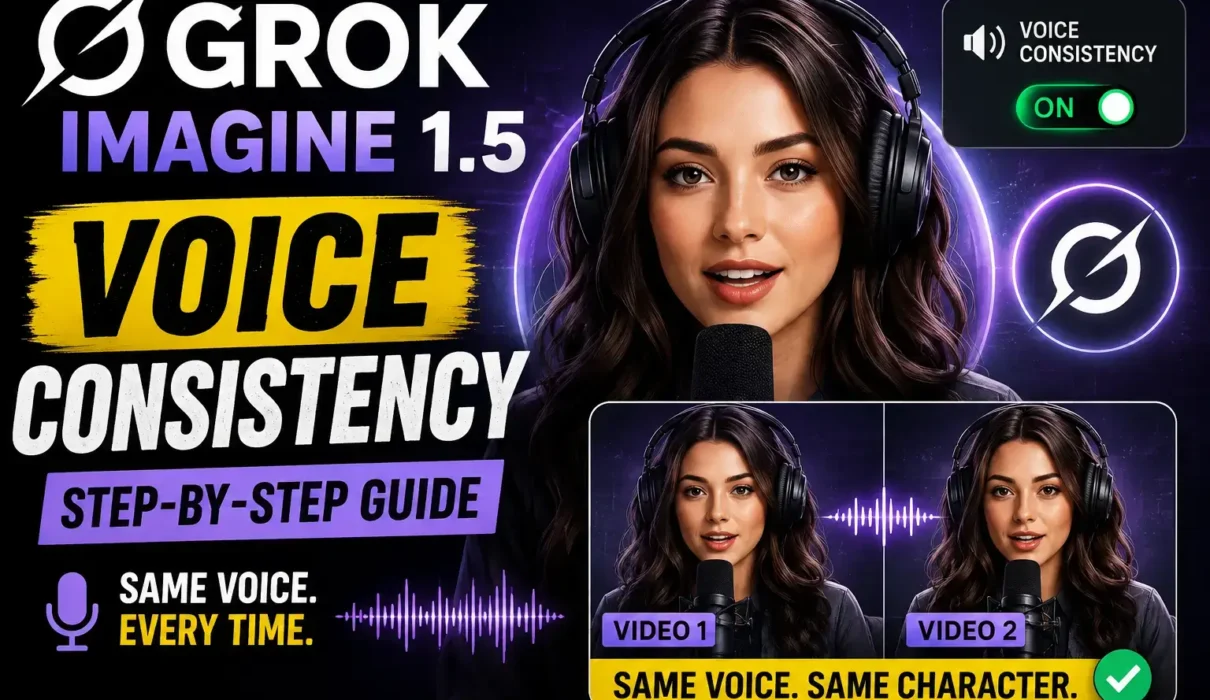
By If you want the same AI character to sound identical across multiple videos, Grok Imagine Voice Consistency is the feature you need. It allows you to keep a character’s tone, speaking style, and vocal identity consistent instead of generating a different voice every time.
This feature is part of the broader Grok Imagine 1.5 update. If you want a complete overview of everything included in the release, read our parent guide on xAI Launches Grok Imagine 1.5: Features Voice Consistency, Multi-References & 1080p Support before continuing.
What Is Grok Imagine Voice Consistency?
Grok Imagine Voice Consistency is designed to preserve a character’s voice across different AI-generated videos. Rather than creating a new voice for every prompt, Grok can maintain the same vocal characteristics as long as you continue using the same character setup.
That matters more than most people realize.
Imagine creating a tutorial series, animated storyteller, gaming mascot, or virtual presenter. If the voice changes from one episode to another, viewers immediately notice it. A familiar voice builds recognition and makes your content feel professionally produced.
Unlike basic text-to-speech tools that only generate speech, the Grok Imagine 1.5 voice feature focuses on keeping the character’s vocal personality stable over time.
How to Use Grok Imagine Voice Consistency
Using the feature is fairly straightforward once you understand the workflow.
Step 1: Open Grok Imagine
Launch Grok Imagine from your supported xAI account and start a new image or video generation project.
Make sure you’re using the latest version that supports Voice Consistency.
Step 2: Create Your Character
Write a detailed prompt describing your character.
Include information such as:
- Name
- Age
- Personality
- Speaking style
- Emotional tone
- Accent (if needed)
For example:
“A confident female technology presenter in her early 30s who speaks clearly with a calm American accent, friendly energy, and moderate speaking pace.”
The more consistent your character description is, the easier it becomes for Grok to reproduce similar results later.
Step 3: Enable Voice Consistency
Choose the Voice Consistency option while configuring your generation settings.
This tells Grok that you want to preserve the character’s voice instead of randomly creating a new one for each project.
Depending on your access level, this option may appear inside advanced generation settings.
Step 4: Generate Your First Clip
Now generate your first video.
Listen carefully before moving on.
Don’t only focus on pronunciation. Pay attention to pacing, emotion, pauses, confidence, and overall delivery because these become your reference voice.
Step 5: Reuse the Same Character
For future videos, continue using the same saved character instead of creating a new one.
This is where many beginners accidentally break consistency.
When testing this feature, I noticed that changing the character description too much-even small details like age or personality-can slightly alter the generated voice. Keeping prompts nearly identical usually produces the most reliable results.
Step 6: Keep Prompt Style Consistent
Voice consistency isn’t just about enabling one feature.
Your prompts also matter.
Instead of rewriting the entire character every time, use the same description and only change the dialogue or scene.
That helps the AI recognize you’re continuing an existing character rather than creating someone new.
Best Practices for Keeping AI Voices Consistent in Grok Imagine
Small changes often produce the biggest differences.
If your goal is a long-running AI series, try following a consistent workflow instead of experimenting with every generation.
Keep the same character profile throughout the project. Avoid switching personality traits, age, emotional style, or accent unless the story actually requires it. Use similar recording scenarios whenever possible. A dramatic action sequence may naturally influence delivery compared to a calm educational video.
I also recommend saving your original prompts in a document. It sounds simple, but after producing dozens of videos, you’ll appreciate having the exact wording available instead of trying to recreate it from memory.
Maintaining prompt and workflow consistency is crucial for long-form content, much like using Meta AI Interactive Artifacts to streamline multi-step AI generation processes without losing style accuracy.
Real-World Uses for the AI Character Voice Generator in Grok
The AI character voice generator Grok feature works well across different types of content.
Content creators can build recurring YouTube hosts that sound familiar every episode.
Businesses can create brand ambassadors whose voices stay recognizable across product demonstrations.
Educators can produce lesson series without confusing students by changing narrators.
Game developers can prototype NPC dialogue while maintaining character identity.
Storytelling channels may benefit the most. When every episode features the same narrator, audiences become attached to the character instead of treating each video like a standalone project.
Common Mistakes That Change Character Voices
Most voice inconsistency comes from user input rather than the AI itself.
Changing the character description dramatically is one common cause.
Using a completely different emotional tone can also influence voice generation. If one prompt requests excitement while another asks for sadness, the output may sound noticeably different.
Creating a new character instead of loading an existing one is another frequent mistake.
Finally, avoid mixing unrelated prompt templates copied from different projects. Consistency starts with consistent instructions.
xAI Grok Video Voice Tutorial Tips
If you’re creating a full content series, organize your workflow before generating dozens of videos.
Create your character once.
Save every prompt.
Reuse the same voice settings.
Generate short test clips before producing longer videos.
This approach saves time and reduces the need for regenerating scenes later.
Troubleshooting Grok Imagine Voice Consistency
Why does my character sound different?
The most common reason is that the character description changed between generations. Review your prompts and compare them with the original version.
Is Voice Consistency available for everyone?
Availability depends on your Grok plan, region, and rollout status. New AI features are often released gradually before becoming available to all users.
Can I change the script while keeping the same voice?
Yes. That’s exactly how the feature is intended to work. You can update dialogue while maintaining the same character profile and voice settings.
Frequently Asked Questions
How do I keep AI voices consistent in Grok Imagine?
Use the same saved character, keep your prompts nearly identical, enable Voice Consistency, and avoid changing personality traits or speaking style between projects.
Does the Grok Imagine 1.5 voice feature work for long video series?
Yes. It is designed to help creators maintain the same character voice across multiple videos, making it useful for tutorials, educational content, storytelling, and branded content.
Can I create multiple characters with different consistent voices?
Yes. Each character can maintain its own voice identity as long as you save and reuse that specific character configuration.
Creating recognizable AI personalities isn’t only about appearance anymore. Voice plays an equally important role in audience recognition. If you’re planning a YouTube series, social media campaign, or AI storytelling project, spending a few extra minutes to build a consistent character profile will yield much better long-term results. As Grok Imagine continues to evolve, mastering Voice Consistency now will make future projects easier to scale while keeping your AI characters familiar and believable.