
 By
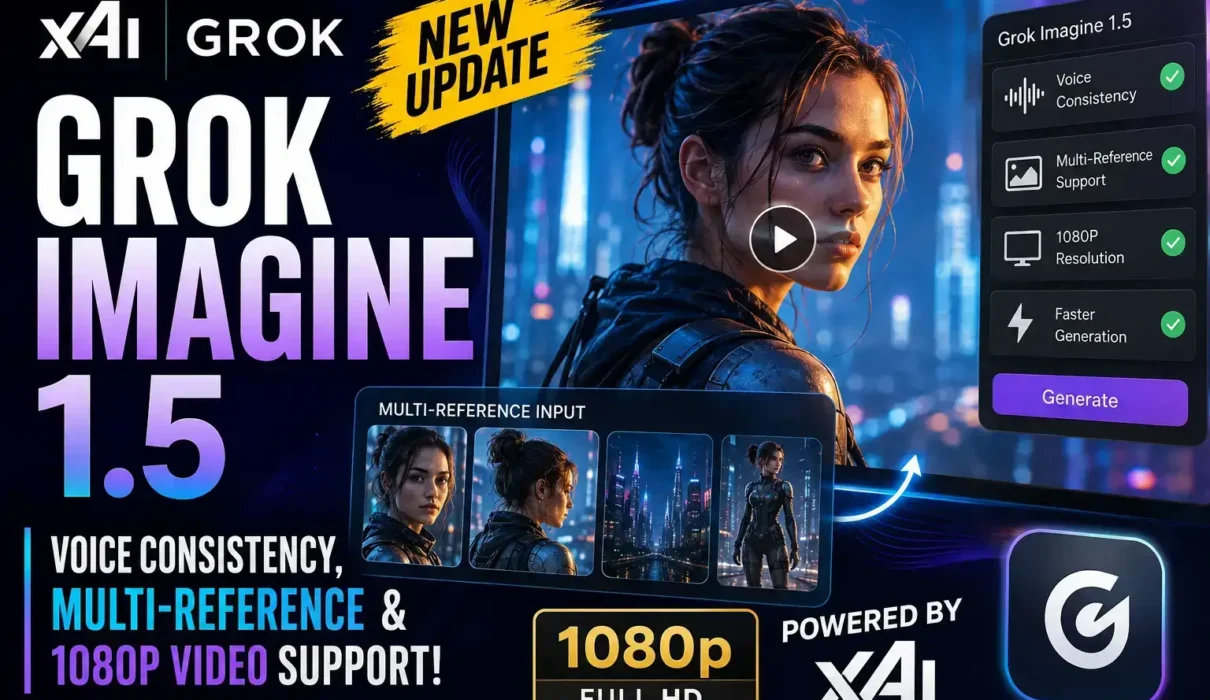
By xAI is expanding its creative AI ecosystem with Grok Imagine 1.5, a major update that introduces more consistent AI-generated characters and voices, better reference handling, higher-quality video output, and an improved workflow for creators. The release signals xAI’s continued push to compete with leading generative AI platforms from OpenAI, Google, Runway, Pika, and Luma AI by making AI video creation more practical for content creators, marketers, filmmakers, and developers.
Rather than being a simple quality upgrade, Grok Imagine 1.5 focuses on solving some of the biggest frustrations users face when creating AI-generated videos: keeping characters consistent across scenes, maintaining recognizable voices, using multiple reference images, and exporting videos at higher resolutions.
What Is Grok Imagine 1.5?
Grok Imagine 1.5 is the latest version of xAI’s image-to-video generation system built into the Grok platform.
The model transforms a still image into an animated video using natural language prompts. Users describe camera movement, motion, atmosphere, dialogue, or sound effects, and the AI generates a synchronized video clip.
Earlier versions emphasized realistic motion and native audio generation. The latest release expands those capabilities with stronger consistency controls and workflow improvements designed for longer creative projects. Official xAI announcements also highlight improvements in motion realism, speech synchronization, audio generation, and production speed.
What New Features Does Grok Imagine 1.5 Introduce?
How Grok Imagine Voice Consistency Makes AI Characters More Reliable
One of the most notable additions is voice consistency.
Previously, creators generating multiple clips often found that AI voices changed noticeably between scenes. With the new update, Grok Imagine 1.5 is designed to preserve a character’s speaking style, tone, and overall vocal identity across consecutive generations.
This improvement is particularly valuable for YouTube storytellers, AI influencers, marketing teams, educators, and filmmakers producing episodic content. Instead of generating a completely different voice for every clip, creators can maintain a recognizable speaking style throughout an entire series, making AI-generated characters feel far more believable.
Instead of recreating a new voice every time, creators can maintain a more believable digital character throughout an entire project. If you are exploring other advanced AI tools to automate your content creation workflow, check out how Meta AI Scheduled Actions and Interactive Artifacts can streamline your daily task automation
How to Use the Grok Imagine Multi-Reference Feature for Better Character Control
Another major enhancement is the multi-reference feature.
Rather than relying on a single image reference, users can provide multiple references to help the model better understand a character, clothing, facial details, lighting style, environment, or artistic direction.
This reduces visual drift, one of the biggest challenges in AI-generated media.
For creative teams producing multiple scenes, advertisements, or branded videos, consistent visual identity is often just as important as image quality.
Grok Imagine Text-to-Video Upgrades to Native 1080p Resolution
A significant addition is support for 1080p video generation, allowing creators to export higher-resolution content than before.
Earlier previews primarily supported resolutions up to 720p. Recent updates indicate that Full HD output is now rolling out for Grok Imagine users, making the platform more suitable for professional publishing on YouTube, websites, and social media. xAI’s earlier preview documentation initially listed support up to 720p, while newer releases and platform updates have expanded available resolutions.
Higher resolution means:
- Sharper visuals
- Better facial detail
- Cleaner text rendering
- Improved editing flexibility
- Higher-quality final exports
Better Motion, Physics, and Audio
Beyond the headline features, xAI says Grok Imagine 1.5 improves several core areas that affect overall realism.
According to the company, videos now feature more believable movement, improved physical interactions, fewer visual distortions, clearer dialogue, and better synchronization between speech and on-screen action. Generation speed has also been improved through the “Fast” version of the model, which produces short clips considerably faster than the previous release.
These upgrades are intended to make AI-generated scenes feel less artificial and require fewer regeneration attempts.
Who Can Access Grok Imagine 1.5?
Grok Imagine 1.5 is being made available through multiple xAI services.
Grok Imagine 1.5 is available through the Grok web experience, the iOS and Android apps, and the xAI API for developers. Users subscribed to SuperGrok can also access higher usage limits and additional creative capabilities, although availability may vary depending on the rollout schedule and subscription tier.
Higher usage limits and expanded creative capabilities are available through SuperGrok subscription plans, which unlock additional features across the Grok ecosystem. Availability can vary depending on account type and rollout schedule.
Why This Update Matters
The AI video market has become increasingly competitive over the past year.
Companies including OpenAI, Google, Runway, Adobe, Luma AI, Kling AI, and Pika are all racing to improve AI-generated video quality.
Rather than focusing only on visual realism, xAI appears to be targeting workflow problems creators experience every day.
Maintaining consistent characters across scenes has long been one of the industry’s biggest technical challenges. By introducing voice consistency and multi-reference support alongside higher-resolution exports, xAI is addressing issues that directly affect real production workflows.
For creators producing serialized content, commercials, educational videos, or AI-powered storytelling, these improvements could significantly reduce editing time.
Developers Also Benefit
The release is not limited to consumer users.
Developers can access Grok Imagine 1.5 through the xAI API using the dedicated model endpoint, allowing businesses and software platforms to integrate image-to-video generation into their own applications. xAI also notes that the model supports configurable duration and resolution options through its API.
Are There Any Limitations?
Although Grok Imagine 1.5 introduces meaningful improvements, some details remain unclear.
xAI has not publicly disclosed every technical implementation behind features such as voice consistency or multi-reference generation. In addition, feature availability may differ depending on subscription tier, geographic rollout, or platform.
As with most generative AI systems, users should also expect occasional inconsistencies in complex scenes, particularly when generating longer videos or highly detailed prompts.
What Comes Next?
The launch of Grok Imagine 1.5 suggests xAI is rapidly expanding beyond conversational AI into professional creative tools.
Recent updates also introduced project organization, searchable media libraries, and the ability to run multiple generation tasks simultaneously, indicating that xAI is building a more complete production environment rather than a standalone image generator.
Future updates are expected to continue improving character consistency, editing workflows, and overall video quality as competition in AI-generated media intensifies.
Frequently Asked Questions
What is Grok Imagine 1.5?
Grok Imagine 1.5 is xAI’s latest AI image-to-video model that converts still images into animated videos with synchronized audio, improved motion, and enhanced creative controls.
What is Voice Consistency in Grok Imagine?
Voice Consistency helps maintain a similar speaking style and vocal identity for AI-generated characters across multiple video clips, making longer storytelling projects more coherent.
What is the Grok Imagine multi-reference feature?
The multi-reference feature allows creators to provide several reference images instead of one, helping the AI preserve character appearance, style, and visual consistency throughout a project.
Does Grok Imagine 1.5 support 1080p video?
Yes. Recent updates indicate support for 1080p video generation is rolling out, providing higher-quality exports than earlier preview versions, which focused on 720p.
Who can use Grok Imagine 1.5?
The model is available through Grok on the web, iOS, Android, and the xAI API. Expanded access and higher usage limits are available through SuperGrok subscription plans.
Conclusion
Grok Imagine 1.5 is more than a routine model update. By introducing voice consistency, multi-reference support, higher-resolution video output, and stronger production tools, xAI is addressing practical challenges that creators encounter when building AI-generated content.
While the company continues refining the platform, this release positions Grok Imagine as a more capable option for filmmakers, marketers, educators, developers, and creators looking for consistent, high-quality AI video generation. If future updates continue improving long-form reliability and editing workflows, Grok Imagine could become one of the strongest competitors in the rapidly evolving generative video market. As AI tools continue to transform creative workflows, you can also check out our complete guide on Meta AI Interactive Artifacts to learn how to use these new interactive features.